Vehicle documentation control software for fleets
Centralize your documentation and never let a document expire. Licenses, insurance, inspections and permits for vehicles and drivers in one place, with configurable alerts before each expiration and the renewal work order in the ticketing system.
in the Calendar
configurable by country
All your fleet documentation, organized
The VEC Fleet Documentation module centralizes all vehicle and driver information on a single platform. Instant access to issue dates, expiration dates and document type, with automatic alerts before each one expires.
Up-to-date documentation, an operation without surprises
Measurable results from the first month of implementation.
Data centralization
Instant access to issue dates, expiration dates and document types for your entire fleet from a single dashboard.
Custom notifications
Set how many days in advance you want to receive the alert. Each person in charge gets the alert in time to handle the renewal.
Automatic work order generation
When a document expires, VEC Fleet automatically triggers the renewal workflow through the related modules. One platform, one source of truth.
Zero fines for expired documents
Avoid traffic fines and penalties caused by outdated documentation. Your fleet always ready to operate.
10/04/2026
Open
Cuyo
Up-to-date documentation, an operation without surprises
Centralized information
Issue dates, expiration dates and document types for the entire fleet in one place, by vehicle and by driver.
Advance alerts
You define how many days in advance each document type triggers an alert, so renewals are handled on time.
No expiration surprises
What's about to expire shows up ahead of time, in the Calendar and on the Dashboard, instead of finding out from a fine or a rejection.
Every expiration in view, with its traffic light
The Calendar shows each expiration in a color based on how close it is, with the letter V marking it as an expiration. You see it by month, week, day or in the agenda for the next 30 days.
You configure
Each document type with how many days in advance you want the alert.
It alerts you
The document moves to upcoming and appears in the Calendar with its color.
It gets handled
The expiration work order goes into the ticketing system and is tracked through to renewal.
Want to see the Calendar with your fleet's expirations? A specialist will show you in a demo.
Book a demoAll your fleet documentation, organized
Inside VEC Fleet the feature is called Expirations (Vencimientos): each document type is set up as an expiration service, with its lead time and its owner, for vehicles and for people.
- Excel spreadsheets and physical folders, each with its own version.
- Vehicles on the road with an expired document without anyone knowing.
- Renewal starts when the fine or the insurance rejection arrives.
- Every document with its expiration date, by vehicle and by driver.
- Alerts with the lead time you configure for each type.
- The expiration generates the renewal work order and stays visible in the Calendar.
Vehicle and driver documents, in the same place
Each document type is set up as an expiration service, with its own lead time and owner. The VEC Fleet team configures it based on the documents your operation needs to control.
Vehicle documentation
What the vehicle needs to be on the road and operate.
Driver documentation
What the person needs to drive that vehicle.
- Vehicle registration card
- Vehicle emissions inspection
- Insurance policy
- Federal operator license
- Vehicle identification card
- VTV / RTO
- Insurance policy
- Driver's license
- Transit license
- SOAT
- Technical-mechanical inspection
- Driver's license
Examples of common documents by country. Each fleet configures its own based on its operation.
Documentation, connected to the rest of the operation
The expiration generates an Expiration-type work order (ticket) that goes into the ticketing system and is managed through to renewal, like any other job.
See maintenance →Expired documentation is one of the operational Dashboard indicators: the count is visible every day, alongside the rest of the operation.
How to control expirations →Expirations live on the same platform as the rest of the operation, the foundation that feeds the fleet reports.
See Business Intelligence →What changes when management gets organized
maintenance costs
"Twenty-five percent in truck maintenance costs." Transcruz managed its fleet in Excel, with reports that arrived up to 20 days late. They evaluated nine systems before choosing VEC Fleet.
"It helped us organize our daily processes. It improved repair tracking, profitability and vehicles out of service for repairs."
"It's hard to find vendors that work like this. They listen to us, they understand us, they come up with proposals when needed, they're always there."
Companies that trust VEC Fleet





Average of 33 verified reviews from VEC Fleet users on Capterra, GetApp and Software Advice.
"Fast, consolidated access to information."Luis Esteban M. · Fleet supervisor · review on Capterra
Capterra and GetApp data as of October 2026.
Vehicle documentation control guide for fleets
What a fleet manager needs to know so no document expires without warning: what to control for the vehicle and the driver, how to build the checklist, how far in advance to alert and who takes care of the renewal.
What is vehicle documentation control?
It's having every document for every vehicle and every driver recorded with its expiration date, and knowing in advance what's expiring so you can renew it beforehand. It isn't filing paperwork: it's making sure each expiration has an alert, an owner and follow-up until the new document is uploaded.
Which vehicle documents need to be controlled?
The ones the vehicle needs to be on the road and operate: the vehicle identification document, the technical inspection, mandatory insurance and the applicable cargo or transport permits. The names change by country —tarjeta de circulación and verificación vehicular in Mexico, cédula and VTV in Argentina, licencia de tránsito and SOAT in Colombia—, but the logic is the same.
And which driver documents?
The driver's license for the category that matches the vehicle, the certifications for the type of cargo and the certificates the operation requires, such as medical exams. They expire on different dates from the vehicle's, which is why they're controlled by person, not by vehicle.
How do you build a documentation checklist?
By vehicle type and by type of operation: which documents a light vehicle, a cargo truck or a passenger vehicle needs. Each document is assigned its expiration date, how far in advance to alert and who renews it. The checklist is reviewed when regulations or the operation change.
How far in advance should you be alerted about an expiration?
As much as the renewal process requires, plus a buffer. Insurance renews quickly; a vehicle technical inspection may require an appointment and take the vehicle out of service. That's why lead time is set by document type, not one for all.
Who takes care of renewing each document?
There needs to be an owner per document type or per base, and the expiration needs to become a task with a status, not a reminder that gets lost. In VEC Fleet the expiration generates a renewal work order (ticket) that goes into the ticketing system and is tracked through to renewal.
Is a spreadsheet enough to control expirations?
With a few vehicles, it can work if someone reviews it every week. The problem is that a spreadsheet doesn't send alerts: it depends on someone opening it. With dozens of vehicles, several drivers and several bases, what's expiring gets discovered at a traffic stop or after an accident.
How do you prepare a fleet for an audit or an inspection?
By having every valid document uploaded, with its date and linked to its vehicle or driver, so you can answer in minutes what's up to date and what isn't. An audit isn't the time to look for paperwork: it's the time to show a record that already exists.
What we've written about vehicle documentation

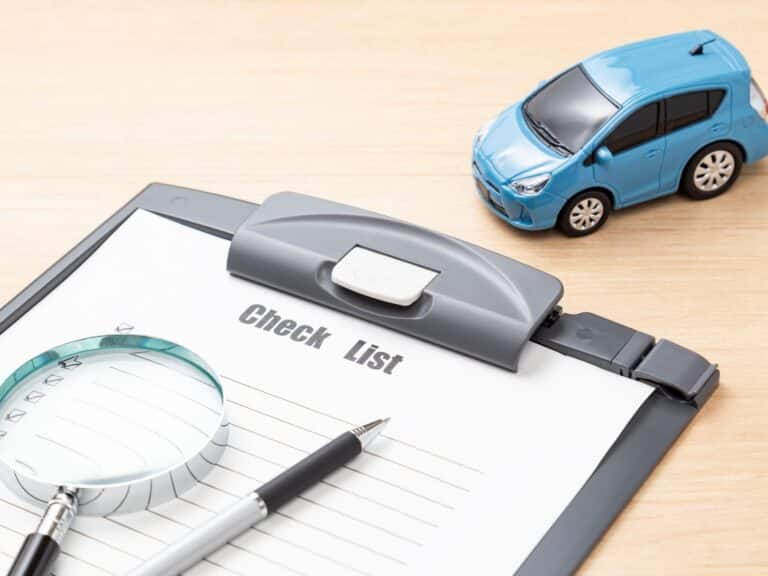

What we usually get asked about documentation
If you still have questions, write to us and a specialist will get back to you.
What types of vehicle documentation can be managed with VEC Fleet?
Does the platform alert you when a document is about to expire?
Can you upload the whole fleet's documentation at once?
Can documentation be filtered by driver, base or vehicle?
Can documentation be accessed from different devices?
How does this module help reduce operational risks?
What is this feature called inside VEC Fleet?
What documents should a fleet vehicle have?
What happens if a vehicle is on the road with an expired document?
How do you control documentation for a fleet with multiple bases?
Never let another document expire
Leave us your details and a specialist will contact you to schedule the demo: they'll show you the expiration Calendar with your own fleet's documents.