Digital vehicle inspections for your fleet
Paperless inspections and full control over the condition of every vehicle. The inspector completes the checklist from the VEC Fleet+ app, with photos and signature; every failure can become a corrective work order, and every inspection is stored in the vehicle's history.
VEC Fleet+, on iOS and Android
in a single module
What changes when you digitize your inspections
Paper doesn't record who inspected, when or from where. With VEC Fleet, every inspection is traced end to end, with date, time, vehicle and user.
Inspections Checklist
Digitize every inspection point and act before failures affect your operation.
Custom digital checklist
Create digital questionnaires with predefined answers, photos and digital signature. Set who can complete them and who validates them.
Failure detection and corrective work orders
Every failed answer can automatically generate a maintenance work order, with the service and task preconfigured.
Your entire fleet history in one place
Every inspection is linked to the vehicle, user and validator. Exportable to Excel with the columns you need.
Recorded location
Every inspection records the GPS location where it was completed, along with the date, time and the user who performed it.
Corrective
Automatically
Three capabilities that change how a fleet is inspected
Custom digital checklist
You create forms with yes/no, numeric, multiple-choice, text, photo, attachment and signature answers. You define which answers pass and who can complete and validate each form.
Failures that become work orders
Every failed answer can generate a corrective work order (ticket), automatically or manually depending on the configuration, with the service and task preconfigured.
Recorded location
Every inspection records the GPS coordinates of the place where it was completed, along with the date, time and user.
From form to work order: no failure goes untracked
The checklist isn't an isolated form: it's the entry point to maintenance. Whatever goes wrong in an inspection becomes a job with an owner.
You set up the form
You define the checkpoints, the answer type for each one, what counts as a pass and which profiles complete it.
The inspector completes it
From the app, with photos and signature. The inspection records date, time, user and location.
The failure generates the work order
A failed answer can open a corrective work order (ticket) with the service and task preconfigured, which goes straight into the ticketing system.
It stays in the history
The work order is linked to the inspection, and the inspection to the vehicle's and driver's history.
What changes when inspections move off paper
- Paper forms get lost, get wet or reach the office late.
- You don't know whether the inspection was done or where it was completed from.
- Failures written down on paper go untracked.
- Auditing the history takes hours and the data doesn't match.
- Every inspection is recorded with date, time, vehicle and user.
- The location where each inspection was completed is recorded.
- Failures become work orders that are tracked through to closure.
- The full history is available in seconds and exportable to Excel.
Want to see how a checklist from your fleet turns into work orders? A specialist will show you in a demo.
Book a demoVehicle condition and driver fitness, in the same module
Vehicle inspections
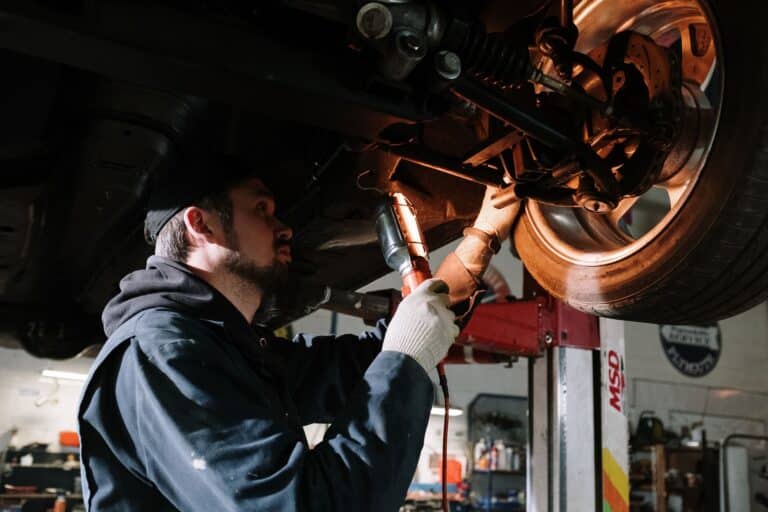
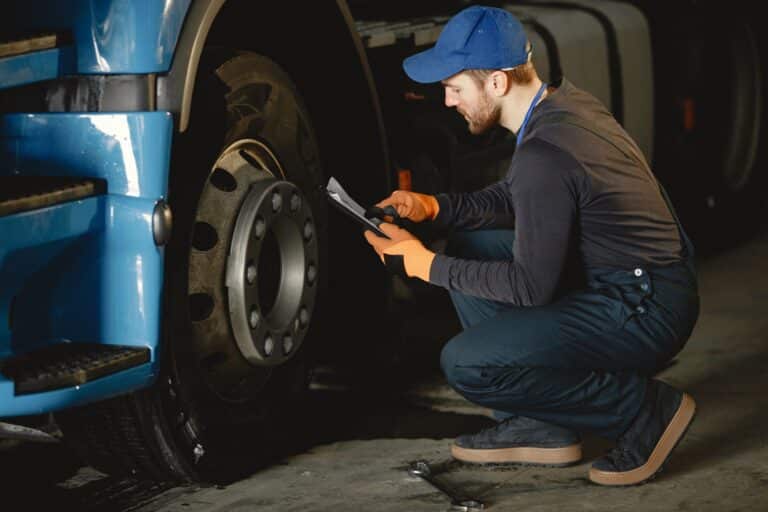
You check the mechanical and visual condition of each vehicle before, during and after operation. Every failure is recorded with photo evidence.
Driver inspections
You verify the condition and fitness of each driver before they get behind the wheel, with forms for people linked to authorized profiles.
Your entire inspection history in one place
Every inspection is linked to the vehicle, to the user who completed it and to the one who validated it. You export the columns you need to Excel.
VEC Fleet+, the inspection app for the inspector's phone
The checklist is completed where the vehicle is: from the phone, with photos of the failure and the driver's signature. The VEC Fleet+ app is available for Android and iPhone.
What changes when management gets organized
maintenance costs
"Twenty-five percent in truck maintenance costs." Transcruz managed its fleet in Excel, with reports that arrived up to 20 days late. They evaluated nine systems before choosing VEC Fleet.
"It helped us organize our daily processes. It improved repair tracking, profitability and vehicles out of service for repairs."
"It's hard to find vendors that work like this. They listen to us, they understand us, they come up with proposals when needed, they're always there."
Companies that trust VEC Fleet





Average of 33 verified reviews from VEC Fleet users on Capterra, GetApp and Software Advice.
"How easy it is to use and how quickly you can log the checks."Paula P. · Transportation · review on Capterra
Capterra and GetApp data as of October 2026.
Vehicle inspection guide for fleets
What a fleet manager needs to know to make inspections actually useful: what a digital checklist is, what it should include, how it connects to maintenance and how to roll it out without slowing down the operation.
What is a digital vehicle checklist?
It's the vehicle inspection form completed from a phone instead of on paper. Each answer is recorded with date, time, vehicle and inspector, with photos of what's wrong and the signature of the person inspecting. The difference from paper isn't the medium: it's that the information arrives right away and that a failure can open a maintenance job.
What should an inspection checklist include?
What determines whether the vehicle can go out: lights, tires, brakes, fluid levels, mirrors, seat belts and safety equipment, plus the odometer and the documents on board. Each point with its answer type: yes or no, a number, a photo. What matters is that it's short for daily use and that there are different forms for each vehicle type.
Why move from paper to a digital checklist?
Because paper arrives late, gets lost and proves nothing: you don't know whether the inspection was done in front of the vehicle or at what time. A digital checklist leaves evidence with photos and signature, records where it was completed, keeps each vehicle's history and lets you see which inspections are missing without gathering spreadsheets.
How does inspection connect to maintenance?
When an answer flags a failure, the system generates the corrective work order (ticket) for that vehicle, which goes into the ticketing system and is managed through to closure. That way no detected failure stays on a piece of paper: it has an owner, a repair shop and a status you can track.
What gets inspected on the driver?
Their fitness to drive that vehicle: the driver's condition before heading out and that their documentation is valid, such as the license and the certifications the cargo requires. It's handled with forms for people, separate from the vehicle forms.
How do you prevent an inspection from being completed without seeing the vehicle?
With three pieces of evidence: photos of the points that require them, the signature of the person inspecting and the record of where the form was completed.
Which inspection metrics are worth tracking?
Compliance: what percentage of scheduled inspections were done, by vehicle and by base. Failures that repeat on the same vehicle or the same model. And the time between when a failure is detected and when its work order is closed, which tells you whether the inspection actually prevents anything.
How do you roll out digital inspections in a fleet?
Start with a short form for the most common vehicle type and a clear frequency, for example pre-trip. Train the inspectors on the app, review the first few weeks of answers to fine-tune the form, and only then add other vehicle types and the driver forms.
What the operation gains with digital inspections
A person does the inspection; what gets automated is the record, the validation and the work order generated from each failure.
Failures spotted during inspection are repaired before the vehicle goes out again.
Systematic inspections keep the fleet operational and organize the repair shop's workload.
The history by vehicle, driver and base shows where failures repeat.
What we've written about vehicle inspections
What we usually get asked about inspections
If you still have questions, write to us and a specialist will get back to you.
Can you create different form types depending on the vehicle or the department?
What happens when a failure is detected in an inspection?
Is it recorded where each inspection was completed?
Who can complete or validate a form?
Can you create forms for drivers as well as vehicles?
What answer types can be configured in a form?
Can the inspection history be exported?
Can a form be edited after it's created?
What is a pre-trip inspection?
How often should a vehicle be inspected?
What happens to a failure detected during inspection?
Digitize inspections across your entire fleet
Leave us your details and a specialist will contact you to schedule the demo: they'll show you how your fleet's checklist is built and how every failure becomes a work order.